
FREE PLUGIN / VERSION 1.1
RAMEN BREAKS — NAGAZAKI
MASHLAB
Our tools,
your creativity.
Turn familiar breaks into something new. Slice and combine your loops, dial in the variation, and take the groove somewhere it hasn’t been.
WINDOWS · VST3 / macOS · VST3 + AU
01 / THE TOOL
BREAKS IN.
IDEAS OUT.
From the first slice to the final WAV.
A hands-on workflow for producers, sound designers and glitch enthusiasts.
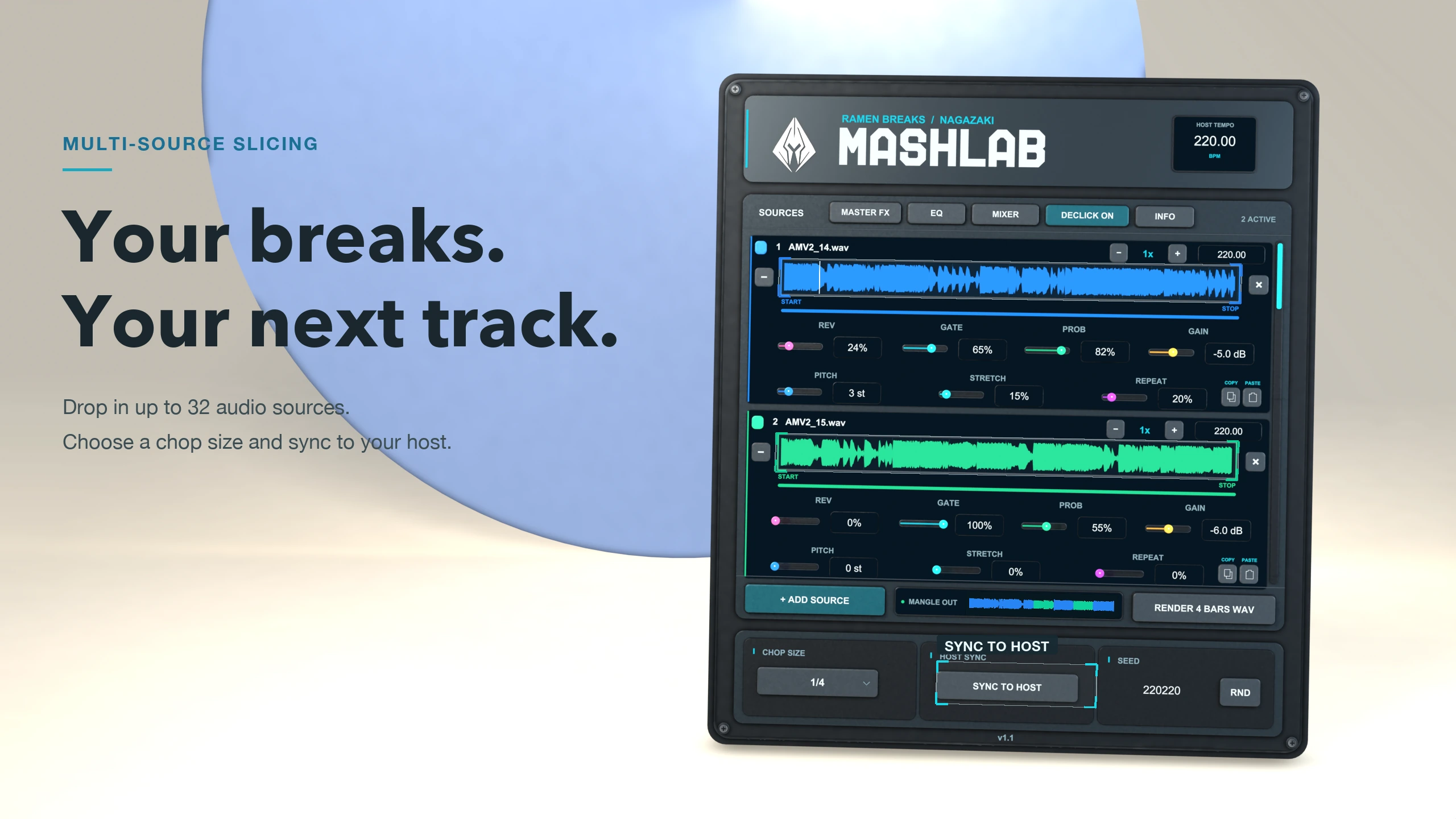
32 sources.
One new groove.
Drop audio files into the sources. Choose your chop size and sync to your host. Combine different breaks into one evolving pattern.
MULTI-SOURCE SLICINGHOST-SYNCED TIMING
02 / THE SOUND
LESS TALK.
MORE BREAKS.
Hear the actual plugin. Same host tempo, different directions.
No backing track. Just the mangle.
Select a pattern and press play.
03 / IN MOTION
MEET YOUR
NEXT OBSESSION.
04 / YOUR NEXT SESSION
ALL YOURS.
FOR FREE.
No checkout. No subscription.
Download MashLab v1.1 and put your own sounds to work.
WINDOWS
64-bit · VST3
v1.1 / ZIP / 4.3 MBmacOS
Intel + Apple Silicon · VST3 + AU
v1.1 / ZIP / 14 MBRuns inside a compatible DAW. This is a plugin, not a standalone application.
Read the manual EN / FR ↗How do I install MashLab?
Windows: unzip the download and copy the complete .vst3 folder into C:\Program Files\Common Files\VST3.
macOS: copy the .vst3 bundle into ~/Library/Audio/Plug-Ins/VST3 and the .component bundle into ~/Library/Audio/Plug-Ins/Components.
Restart your DAW or rescan its plugins. Keep your previous copies if you want to retain earlier versions.
Are audio sources included?
The plugin downloads contain the plugin itself. Load your own audio files to build your patterns. The sounds on this page are demonstrations.
What does Copy / Paste transfer?
The seven source variation controls: reverse, gate, probability, gain, pitch, stretch and repeat. Audio files and the seed remain separate.
Can I keep a pattern I like?
Keep the seed, audio sources, settings and playback conditions to return to the pattern. Or render four bars as a 24-bit stereo WAV and drag the result into your project.
RAMEN BREAKS — NAGAZAKI